Festivals
Multiple gates, high frequency
Staff several entrances with their own teams and scanners.
BerlinAmsterdamVienna
Free scanner app
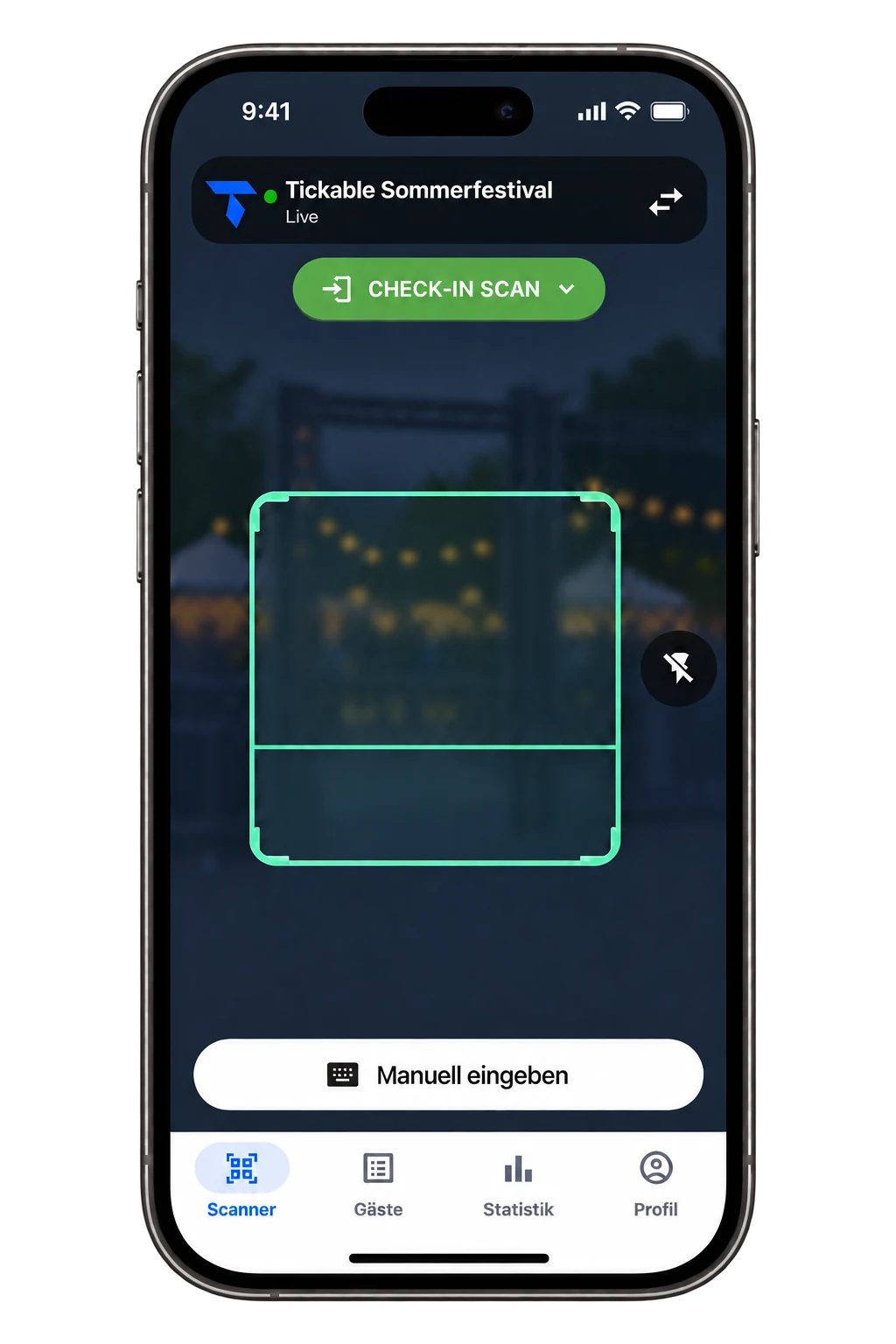
Your team can check tickets on their phones with the free Tickable scanner app. Connect devices to your event and download ticket data in advance for offline use.

Free scanner app · Requires a Tickable organizer account.
Staff need to see whether a ticket is valid or has already been used. At events with several entrances, sharing scan results between devices also matters.
Staff can cover different entrances and share scan results when connected. Plan the number of devices and staff around expected arrivals.
Your team can check tickets on their phones with the Tickable scanner app. Use several devices at once and offline mode when reception is unavailable.
App for iOS and Android, web variant as backup
Offline mode: tickets are validated locally and synced later
Live sync between devices: a ticket scanned at gate A is instantly blocked at gate B
Door-staff mode with minimal permissions
Live check-in rate in the organizer dashboard
Sound and haptic feedback on valid / invalid / already used
Invite your team, assign the event and test scanning before opening. Download ticket data in advance for offline use.
Install Tickable Entry & Scan for free on your door team’s devices.
Enter the eight-digit code from the app in your Tickable dashboard.
Assign the event and device permissions. Download ticket data before doors open.
Scan the QR code or enter the ticket number manually. The app shows the result immediately.
Here is an overview of the main options.
No signal in the festival field? No problem. Scans validate locally and sync later.
Any number of scanners in parallel. Tickets are marked 'used' across all devices in real-time.
Already-redeemed tickets show red instantly, even in offline mode with conflict resolution.
Organizer sees in dashboard live, how many people per minute pass through which gate.
Door staff see only the scan function. No sales numbers, no buyer data.
If a QR is damaged: search buyer by name or email and admit manually.
Scanner reads Apple and Google Wallet tickets natively, no extra config.
Bluetooth scanner supported as input device, ideal for high-frequency gates.
Different events may need different settings.
Staff several entrances with their own teams and scanners.
Check pre-sale tickets and the guest list at the door.
Assign ticket categories to the appropriate entrances.
Check registrations and identify attendees at reception.
Consider these points as you prepare.
| Tickable | For your planning | |
|---|---|---|
| Hardware cost | €0, smartphone is enough | Plan for existing devices and any extra hardware. |
| Setup | App download, done | Test scanners and team access before opening. |
| Offline mode | Standard | Download ticket data to devices in advance. |
| Multi-gate sync | Live via cloud | Check connectivity for data synchronization. |
| Wallet-compatible | Apple & Google native | Test both Apple and Google Wallet tickets. |
| Scaling | Add devices freely | Plan devices and staffing around expected arrivals. |
"We let 12,000 people through six gates in 90 minutes. No crash, no line, no double scans. That was unthinkable with our old hardware system."
Staff need to see whether a ticket is valid or has already been used. At events with several entrances, sharing scan results between devices also matters.
Invite your team, assign the event and test scanning before opening. Download ticket data in advance for offline use.
Staff can cover different entrances and share scan results when connected. Plan the number of devices and staff around expected arrivals.
Offline mode validates tickets using previously downloaded data. New scan results are synchronized when a connection is available again.
Yes. In offline mode, tickets are validated locally and synced with the server when connection returns. Double scans are detected and reported.
Unlimited. We've run events with 50+ parallel scanners in production.
The second scan shows red and reports 'already redeemed at HH:MM at gate X'. So you spot fraud attempts immediately.
Yes. The web variant runs on any laptop. Bluetooth scanners can be used as input devices.
No. Door staff see only 'ticket valid' / 'ticket invalid'. GDPR-compliant and auditable.