Festivals
Multi-day pass in wallet
Provide festival passes directly on guests’ phones.
BerlinAmsterdamVienna
Apple & Google Wallet
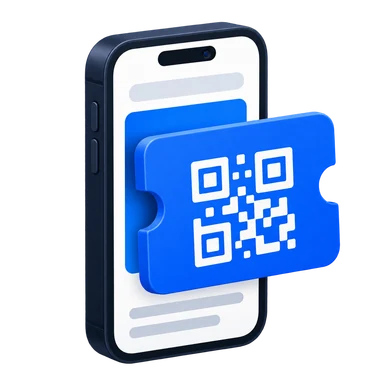
Guests can save tickets directly on their phones. The wallet keeps the QR code and event details available without opening their email.
STN · 2026 · 0184
Ticket view in Apple Wallet
Guests can choose between a PDF and a wallet ticket. A ticket saved in advance is also available without mobile reception.
The date, venue and seating information are shown on the ticket. Logos and colors can match your event branding.
Guests can save tickets directly on their phones. The wallet keeps the QR code and event details available without opening their email.
Apple Wallet (.pkpass) and Google Wallet (Save to Google) native
Branding with your logo, background color, and hero image
Auto popup on event day (lockscreen notification)
Live updates: venue changes, delays, entry hints
QR code in wallet instantly recognized by scanner
Resale-capable: on resale, QR in the wallet updates automatically
After buying, guests open the wallet link and save the ticket to their device.
In checkout, they instantly see 'Add to Apple Wallet' and 'Save to Google Wallet'.
Ticket appears in wallet, background with your branding, logo and QR.
Wallet auto-shows ticket on lockscreen as the buyer approaches the venue.
Here is an overview of the main options.
Logo, background image, accent color. Your ticket looks like your brand.
Change event time? Wallet ticket updates automatically and sends a push notification.
Apple and Google auto-show the ticket on lockscreen when the buyer is at the venue.
Buyer with 4 tickets gets 4 wallet tickets, each with own QR and seat.
Both wallet systems supported in parallel. The buyer chooses.
Row, seat, gate visible directly on the wallet ticket.
Coat check, program, shuttle as additional fields in the wallet ticket.
Wallet tickets work without internet. QR is stored locally.
Different events may need different settings.
Provide festival passes directly on guests’ phones.
Show the row and seat directly on the ticket.
Use digital tickets for recurring performance dates.
Include attendance details on the conference ticket.
Consider these points as you prepare.
| Tickable | For your planning | |
|---|---|---|
| Findability | In wallet, always with you | Make the wallet link easy to find in confirmations. |
| Live updates | Automatic | Review changes before sending them. |
| Lockscreen popup | Standard on event day | Display depends on the device and its settings. |
| Branding | Fully customizable | Check logos and colors in both wallet systems. |
| Resale-capable | QR rotates automatically | Check ticket validity after transfers. |
| Offline use | Works without network | Ask guests to save tickets before travelling. |
"Since wallet tickets became our standard, support requests at entry dropped 70%. Buyers just open the wallet, done."
Guests can choose between a PDF and a wallet ticket. A ticket saved in advance is also available without mobile reception.
After buying, guests open the wallet link and save the ticket to their device.
The date, venue and seating information are shown on the ticket. Logos and colors can match your event branding.
Both formats have a QR code for check-in. Guests can choose whichever they prefer to use.
Yes. Apple Wallet is preinstalled on every iPhone, Google Wallet is available on practically every Android phone.
No. Tickable handles full Apple and Google integration. You don't have to set up anything technical.
Yes. Logo, background image, accent color, and font can be customized per event series.
The wallet ticket updates automatically and the buyer gets a push notification with the change.
Yes. Wallet is standard, but buyers can also download the PDF. Both options are always available.
We can advise you on setup and answer your questions.