Ticket resale with a price cap →
Sell tickets. Manage your events.
Use Tickable to sell tickets in your own shop, manage orders and check guests in. For concerts, festivals, trade fairs and many other events.
Set up your own event · No contracts · GDPR & EU-hosted


Create events & tickets
Your event and the right tickets.
Set the date and venue, arrange seating and offer tickets for your guests’ phones. Guests can choose their seats when they book.



Build your ticket shop
A ticket shop for your event.
Set up your shop with your logo and colors. Use it as a standalone page or embed it on your website. Guests can book on their phone, too.

Standard Ticket
39 € / guest
Event promotion & marketing
Help people find your event online.
Tickable prepares your event details for search engines. Share your event link on social media, in newsletters or on your website.

Studio Nights – Berlin, 24. Oktober
One night. Your sound. Event details and tickets for Studio Nights in Berlin.
Sales & payments
Manage payments and refunds.
Process payments through your connected Stripe account and keep track of payouts. If plans change, you can issue full or partial refunds.
Payout details
Check-in & POS
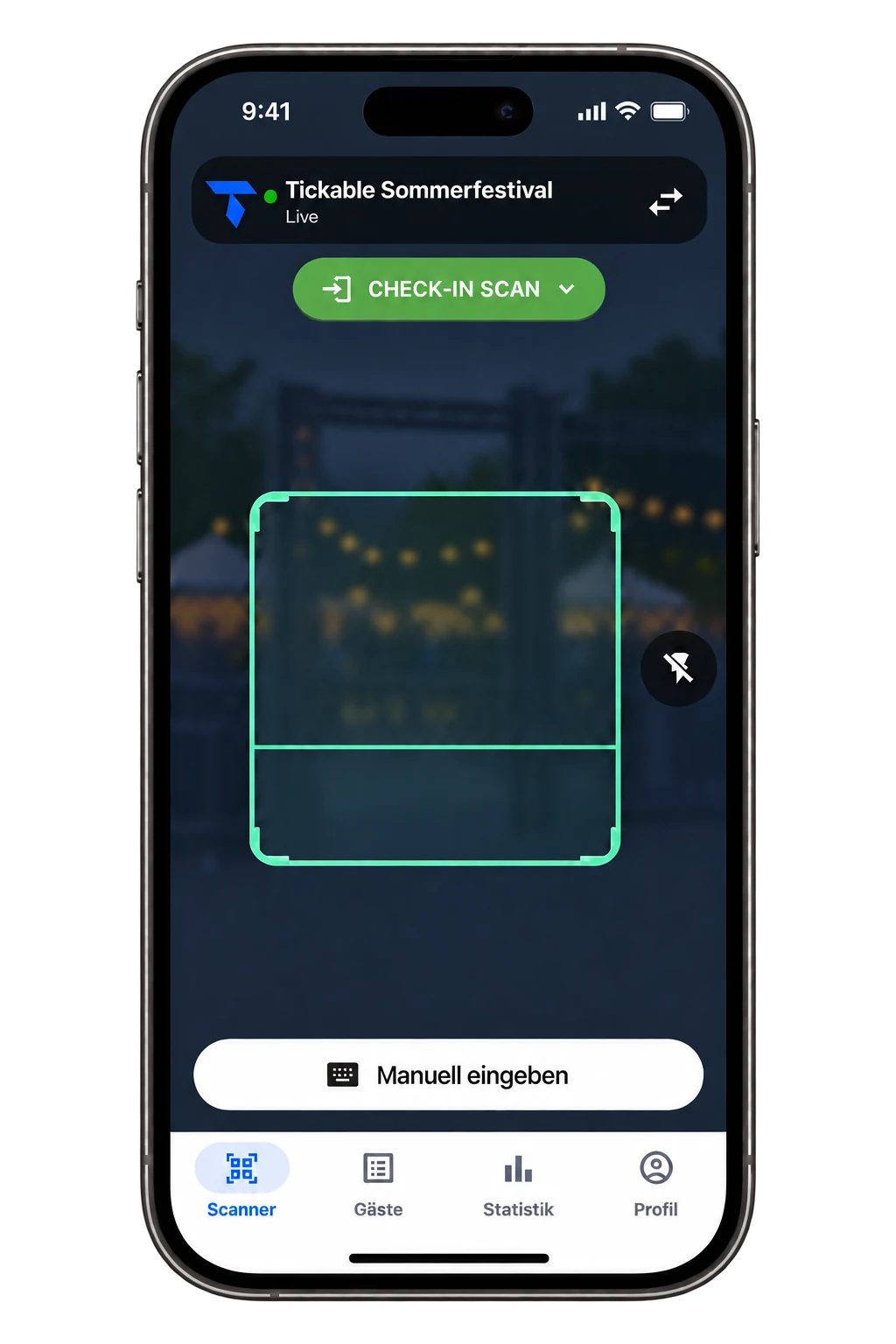
Check tickets at the door.
Your team uses the free scanner app to check tickets on their phones and see who has arrived. Download ticket data in advance to scan without reception.

Free scanner app · Requires a Tickable organizer account.
Administration & analytics
Work together as a team.
Invite your team and decide who can edit events or scan tickets at the door. Analytics and an API for your event data are in development.


Industries
Ticketing for different types of events
A festival has different needs from a theater. Find information and features for the events you organize.




Pricing
Only pay when you sell.
No monthly base fee. Find the details on fees and tailored offers on our pricing page.
Setup & support
Set things up yourself or ask us to help.
Choose how much support you need. Create and manage your event yourself, or ask our team to handle the setup.
Set it up yourself
Create an account, add your event and set up ticket sales. You can get started directly in the dashboard.
- Create your account online
- Step-by-step setup in the dashboard
- Configure the features yourself
- Stripe Connect for direct payouts
Get help from our team
We set up your ticket shop with your branding. A dedicated contact is available to help with questions.
- Setup by our team
- Custom subdomain with your logo and colors
- Dedicated point of contact
- Email support for your buyers
We’ll discuss the support you need together.
Talk to our teamCommon questions
Questions about selling tickets?
Find answers about your website, payments and check-in.
More questions? Get in touchCan I sell tickets on my own website?
Yes. You can embed the ticket shop on your existing website. If you don’t have a website, use the shop as a standalone page and share the link to your event.
Explore website integrationWhat fees apply to ticket sales?
You pay a fee for sold tickets, plus payment processing costs. You can find all the details on our pricing page.
View all pricing detailsHow do I receive my revenue?
Payments are processed through your connected Stripe account and paid out to your bank account. Timing depends on your payout schedule and the payment provider’s terms.
More about payments and payoutsWhat equipment do I need for check-in?
Use Tickable Scan on a smartphone to check ticket QR codes. For larger events, we also offer handheld scanners, POS tills and terminals, and entry gates and barriers. We can help you choose equipment for your event.
Discuss hardware and check-in